LCD Screen Recycling: How to Prepare Your Monitor or LCD Screen Properly

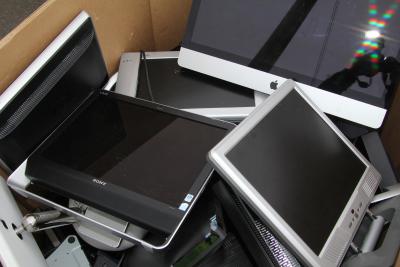
As screens become an increasingly central part of everyday life, more monitors and displays are being replaced each year. Home offices, gaming setups, schools, retail spaces, and commercial environments all rely heavily on LCD technology. Eventually, however, even the most reliable screen reaches the end of its usable life. When that happens, LCD Screen Recycling becomes an essential step rather than an afterthought.
At LCD Buyer, we work with damaged, faulty, and surplus LCD screens daily, and we understand that many people are unsure how to prepare a monitor correctly before recycling. With the right approach, screens can be handled safely, transported securely, and processed efficiently without unnecessary risk or waste.
Understanding the Importance of LCD Screen Recycling
LCD monitors fall into the category of electronic waste, often referred to as e-waste. Unlike standard household rubbish, electronic displays contain a mix of materials that must be treated carefully. LCD Screen Recycling ensures these materials are recovered responsibly rather than ending up in landfill.
Inside a typical LCD monitor are metals, plastics, glass panels, and electronic components. While many of these materials are valuable, they require specialist handling to separate and process correctly. Recycling not only reduces waste but also helps conserve resources that would otherwise need to be extracted and manufactured from scratch.
Why Proper Preparation Makes a Difference
One of the most overlooked aspects of LCD Screen Recycling is preparation. Screens that are poorly handled before collection or transport can suffer additional damage, increasing safety risks and slowing down recycling processes.
Common issues caused by poor preparation include exposed glass, loose components, and tangled cables. Taking a little time to prepare your monitor properly makes the process safer for everyone involved and helps ensure the screen can be processed efficiently once it reaches a recycling facility.
Step One: Power Down and Disconnect Completely
Once powered off, remove all attached cables, including power leads, HDMI cables, DisplayPort connections, and USB cords. Separating cables from the screen is an important part of LCD Screen Recycling, as cables are often processed through different recycling streams.
Step Two: Remove Stands, Mounts, and Brackets
Most monitors are attached to a stand, arm, or wall mount. Where possible, these should be detached before recycling. Removing the stand reduces bulk, lowers the risk of damage during transport, and allows the monitor to be packaged more securely.
From an LCD Screen Recycling perspective, separating different materials at this stage also makes processing easier later on. Metal stands and plastic bases can often be recycled independently of the display panel itself.
Step Three: Take Extra Care with Cracked or Broken Screens
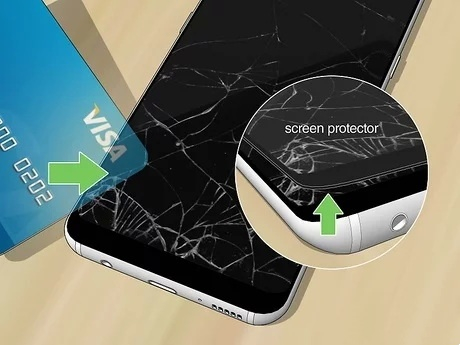
Cracked or smashed LCD screens are particularly common, especially in commercial environments or during office clear-outs. While damaged screens may look beyond use, they are still suitable for LCD Screen Recycling when handled correctly.
Broken glass edges can be sharp and unstable, so it is important to avoid pressing on the screen surface. Wrapping the display in bubble wrap, cardboard, or padded material helps contain loose fragments and protects anyone handling the screen later in the process.
Step Four: Clean the Monitor Lightly
Although recycling does not require a spotless screen, a light clean is beneficial. Removing surface dust and debris improves handling and allows the condition of the monitor to be assessed more easily.
Use a dry or lightly damp microfibre cloth and avoid sprays or cleaning fluids. For damaged units, cleaning should be limited to intact areas only. Clean screens support smoother LCD Screen Recycling without unnecessary complications.
Step Five: Consider Smart Features and Stored Data
Most standard monitors do not store personal information. However, newer displays and commercial signage screens may include smart functionality, internal storage, or operating systems.
If applicable, resetting or wiping stored data before LCD Screen Recycling is a sensible precaution. This is particularly relevant for business users who may have used screens in shared or public-facing environments.
Step Six: Package the Screen Securely for Transport
Once prepared, the monitor should be packaged to prevent movement during transport. Original packaging is ideal, but sturdy cardboard boxes, padding, and foam inserts work just as well.
Good packaging is a key part of LCD Screen Recycling, as it prevents further breakage and protects both the screen and other items being transported alongside it.
Choosing the Right LCD Recycling Specialist
Not all recycling services are equipped to deal with LCD displays, particularly damaged ones. General waste facilities may lack the tools or expertise required for safe handling.
Specialist services focus entirely on LCD Screen Recycling, ensuring panels are dismantled correctly and materials are separated efficiently. This approach reduces waste and improves recovery rates for usable components.
What Happens After LCD Screens Are Recycled?
Once collected, screens are dismantled into their core components. Glass panels, metal frames, circuit boards, and plastics are separated and directed to appropriate processing streams.
Through proper LCD Screen Recycling, materials that still hold value can be reused, while unusable elements are handled safely. Even screens that no longer function can contribute to a more sustainable electronics lifecycle.
LCD Screen Recycling for Businesses and Organisations
Businesses often replace multiple monitors at once due to upgrades or relocations. Managing this responsibly requires planning and organisation.
Bulk LCD Screen Recycling benefits from consistent preparation, careful stacking, and clear identification of damaged units. Working with a specialist recycler simplifies the process and ensures screens are handled efficiently regardless of condition.
Environmental Benefits of LCD Screen Recycling
Recycling LCD screens plays a meaningful role in reducing environmental impact. Recovering materials reduces the need for new resource extraction and lowers overall energy consumption.
By supporting LCD Screen Recycling, individuals and businesses alike help minimise landfill waste and contribute to a more circular approach to electronics use.
Why Choose LCD Buyer?
At LCD Buyer, our focus is entirely on LCD screens. We handle cracked, faulty, and non-working panels that many services refuse to accept. Our experience with LCD Screen Recycling allows us to process screens safely, responsibly, and efficiently.
Whether you have a single broken monitor or a large batch of surplus displays, we provide a straightforward solution tailored specifically to LCD panels.
Final Thoughts on LCD Screen Recycling
Preparing a monitor for recycling does not need to be complicated. Simple actions such as disconnecting cables, removing stands, protecting damaged glass, and choosing a specialist recycler all make a difference.
When done correctly, LCD Screen Recycling protects people, reduces waste, and ensures valuable materials are not lost unnecessarily. If you are unsure how to handle an unwanted or damaged LCD screen, LCD Buyer is always ready to assist.